
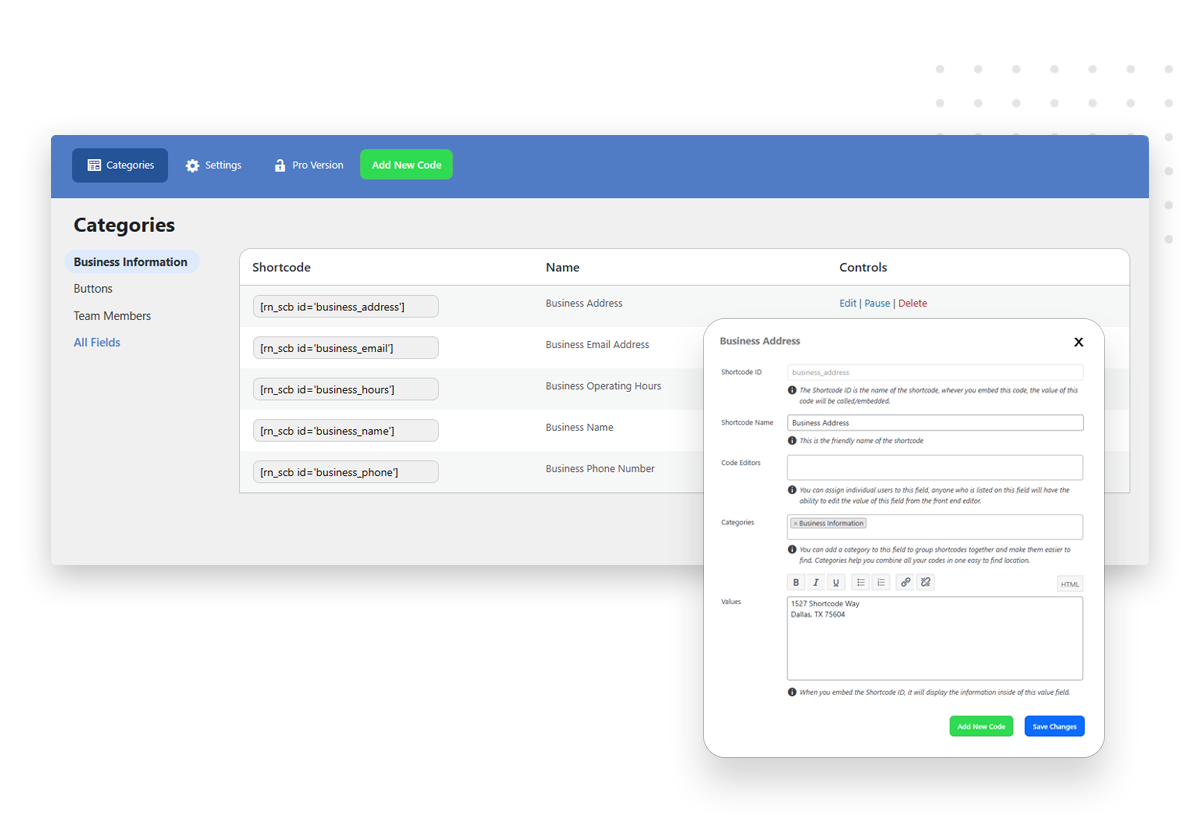
Create an
Easy Shortcode
Simply choose the desired functionality and customize it to suit your website’s needs. With our seamless categorization system, you can effortlessly organize your shortcodes for future reference and streamlined management.
Embed Your
Easy Shortcode
Once you’ve created your shortcode, embedding it into your website is a piece of cake. Just copy and paste the generated code into the desired location within your content, and watch your website come to life with dynamic elements.
Configure Editing Permissions
With Easy Shortcodes, you have full control over who can edit your shortcodes in the future. This feature ensures your clients can make necessary updates to their website without compromising the integrity of your hard work.
when you need to give out client access
Bridging the Gap between Developers and Clients
Easy Shortcodes gives clients more control over their websites without jeopardizing the site’s integrity. By offering client dashboards and editable shortcodes, clients can make changes with confidence. This fosters a sense of ownership and reduces their dependency on developers.

if you want to build faster
Centralized Content Updates for
Hassle-Free Website Management
With Easy Shortcodes, updating crucial information across your entire website has never been more straightforward. Our plugin allows you to build your site using shortcodes, ensuring that any changes made to elements like phone numbers, addresses, email addresses, or team bios are reflected throughout all pages instantly. Say goodbye to manual, time-consuming updates and enjoy the convenience of centralized content management with Easy Shortcodes.




Demystifying Easy Shortcodes
Frequently Asked Questions
We’ve compiled a list of frequently asked questions along with their answers. If you can’t find the information you’re looking for, please don’t hesitate to contact our support team for further assistance.
Turbocharge Your WordPress Development
Streamline your workflow, speed up edits, and grant your clients control without compromising your hard work. Don’t wait, dive in today!